
Library of EDA Utilities
Contact: help@edautils.ai
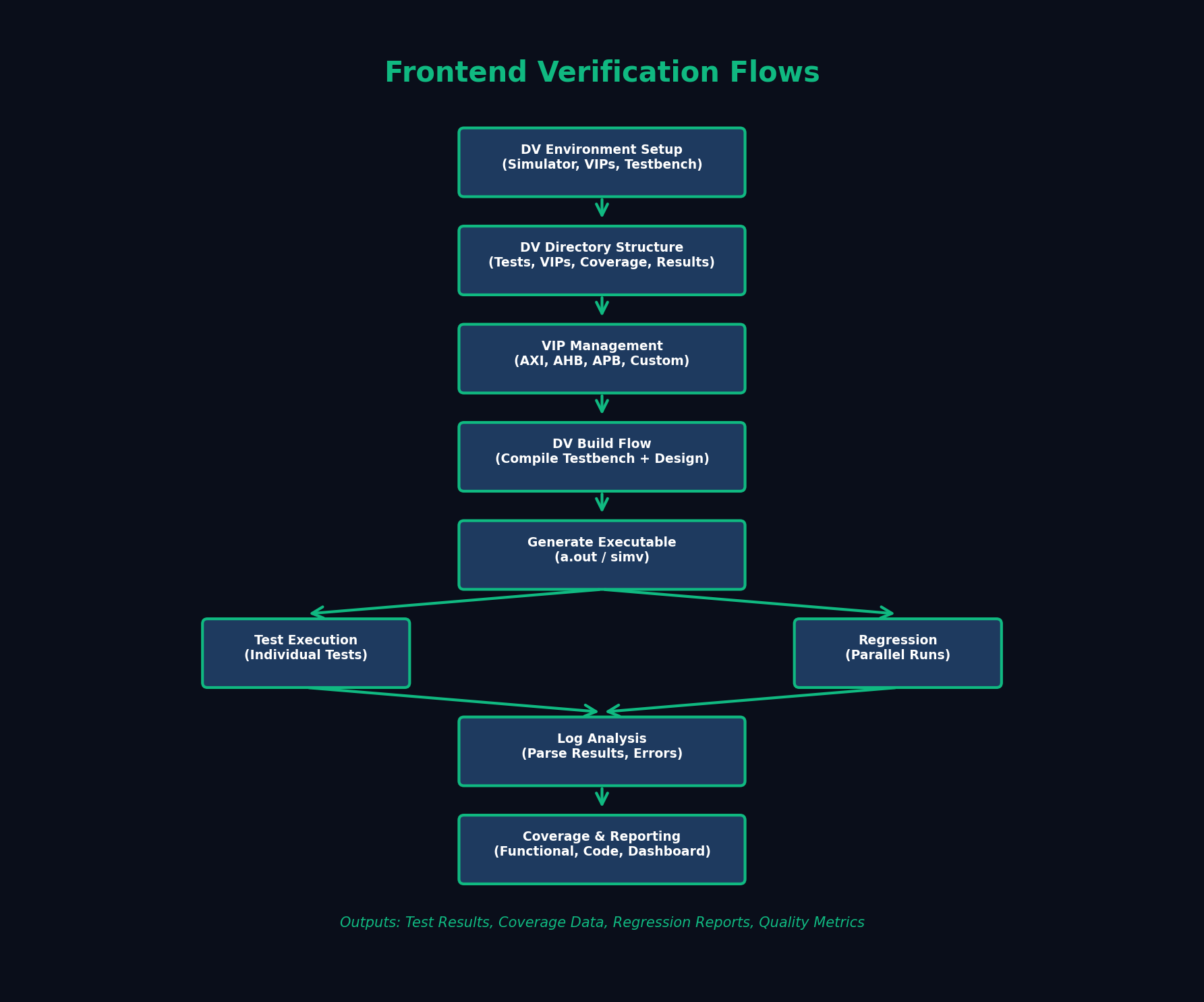
The Frontend Verification Flow provides a complete framework for design verification, from DV environment setup through regression execution and coverage analysis. This methodology ensures comprehensive verification coverage and quality assurance.
Testbench Directory: Contains top-level testbench, interfaces, and environment components.
Tests Directory: Individual test files organized by feature or scenario. Test suites and test lists.
VIPs Directory: Verification IP components (AXI, AHB, APB, custom protocols).
Coverage Directory: Coverage databases, merged coverage, coverage reports.
Results Directory: Simulation logs, waveforms, test results, regression reports.
Standard Protocol VIPs: AXI (AXI3, AXI4, AXI4-Lite, AXI-Stream), AHB/APB (AMBA protocols), PCIe, USB, Ethernet.
Custom VIPs: Proprietary protocol VIPs, memory models, device models.
VIP Configuration: Master/slave configuration, timing parameters, transaction generation, scoreboarding.
Dependency Management: VIP version control, license management, compilation order.
Makefile Targets: Compile, elaborate, clean, regression targets. Parameterized builds for different configurations.
Tool Options: Simulator-specific compile and runtime options. Coverage enable/disable, assertion control, debug modes.
Environment Management: Tool version selection, library paths, license servers.
Individual Test Runs: Execute single tests with specific seeds and options. Command-line parameter passing for test configuration.
Test Options: +define+ macros, plusargs for runtime configuration, verbosity control, waveform dumping.
Debug Mode: Interactive simulation, waveform viewing, assertion analysis, coverage examination.
Automated Parsing: Extract pass/fail status from simulation logs. Error and warning extraction and categorization.
Pattern Matching: Expected message detection, unexpected error flagging. Timeout and simulation hang detection.
Report Generation: Per-test results, summary tables, failure analysis.
Code Coverage: Line coverage, toggle coverage, FSM coverage, branch coverage.
Functional Coverage: Covergroups, coverpoints, cross coverage. Coverage-driven verification closure.
Coverage Merging: Merge coverage from multiple tests and runs. Incremental coverage analysis.
Coverage Reports: HTML reports, coverage holes, exclude files for unreachable code.
Contact us for detailed verification methodology and best practices